
Manage Every Lead Vendor in One Place
Block duplicate, invalid, and out-of-criteria leads from every vendor before they reach your CRM, and see which vendors are worth scaling.



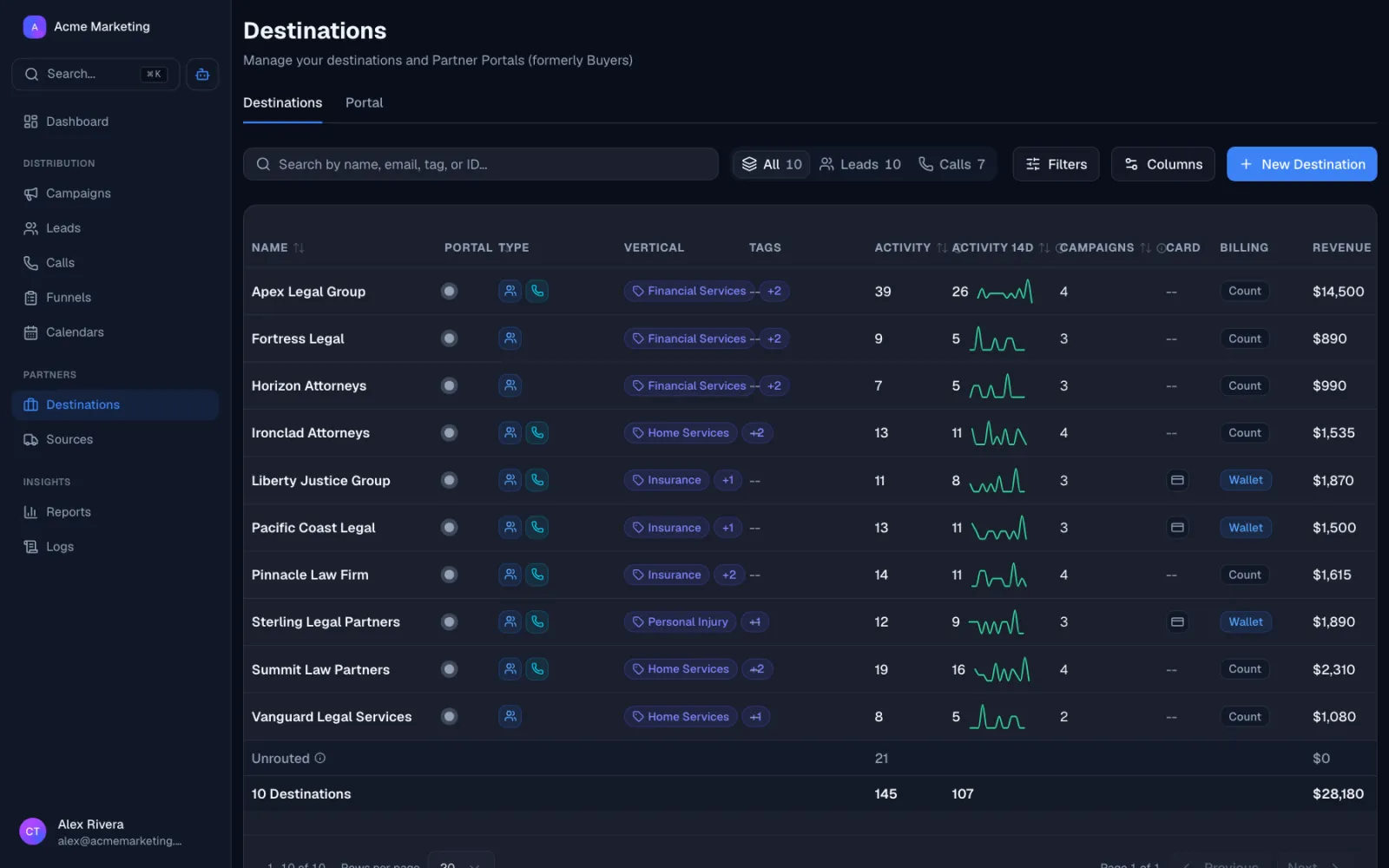
Why lead buyers move to Lead Distro AI
Block junk before it costs you
Inbound filters reject leads that fail your criteria at the door (wrong state, wrong age, missing fields, low credit) so you only pay for leads you can actually work.
Stop paying twice for the same lead
Configurable duplicate detection catches the same person across vendors, sources, and campaigns. Set the dedupe window in days, hours, or by campaign.
True ROI per vendor
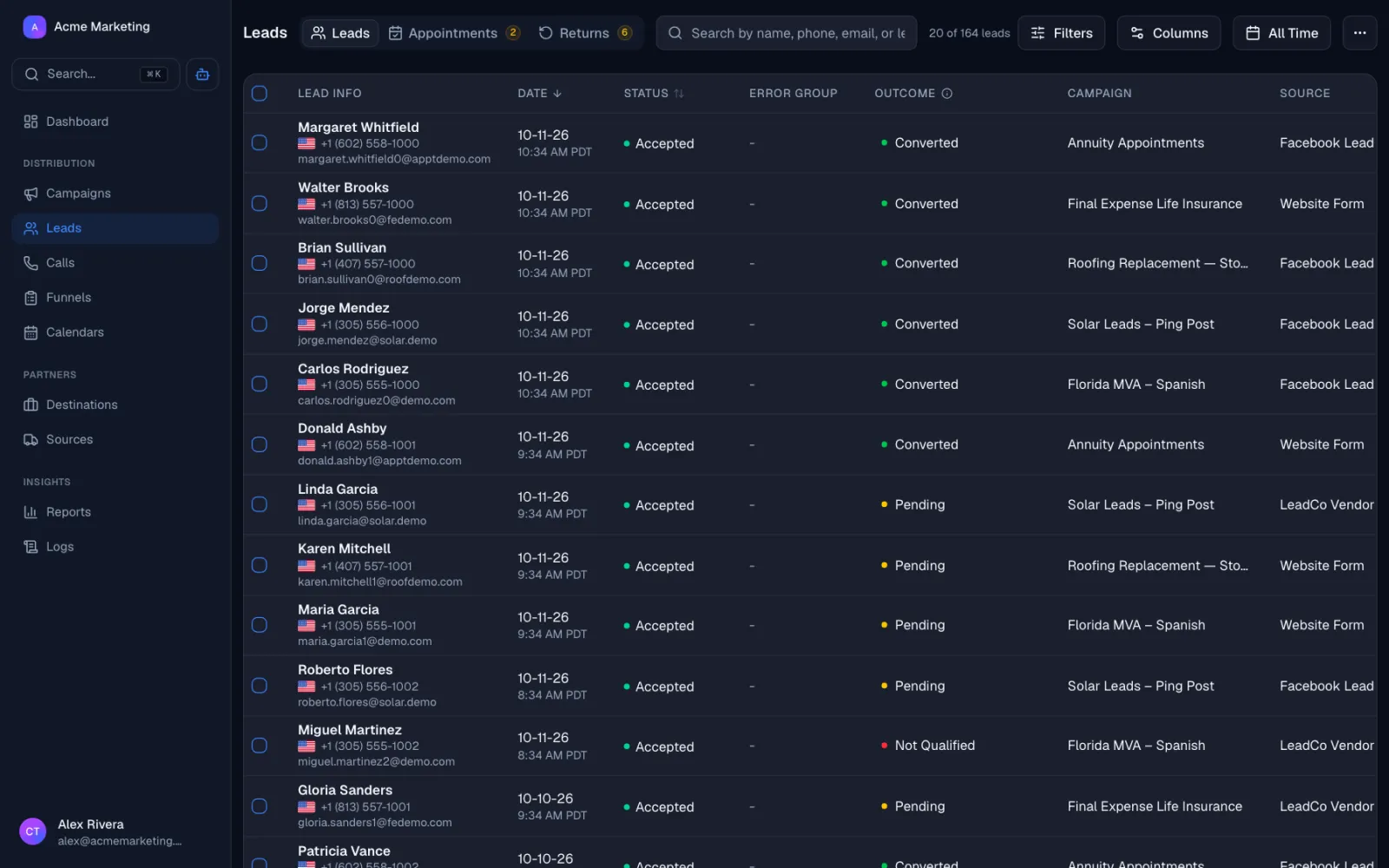
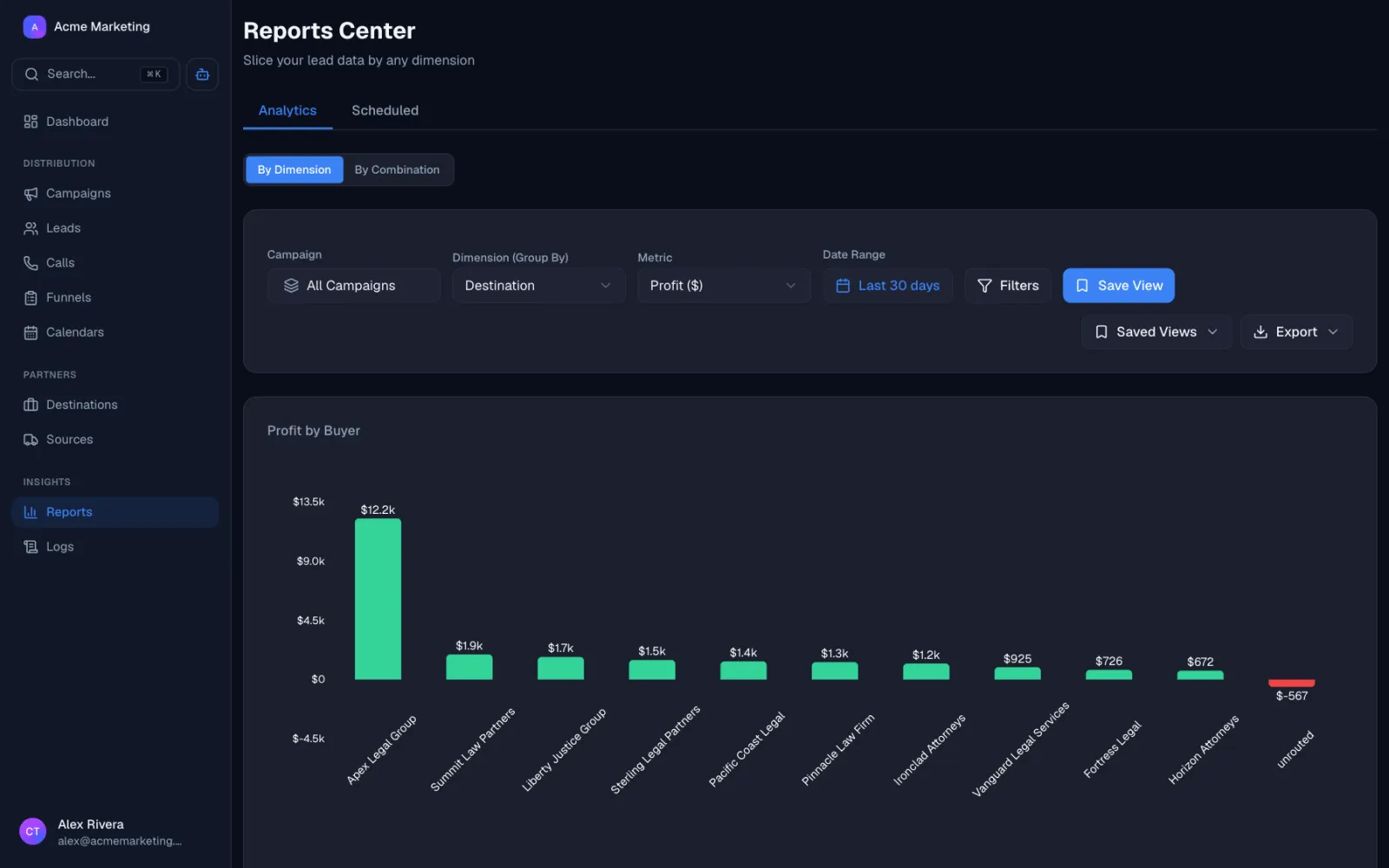
Every lead carries its source. See cost, accepted rate, conversion rate, and net margin per vendor so you know which to scale and which to cut.
Reject in real time
Vendors get instant accept or reject responses with a reason. Bad batches get caught immediately instead of being discovered at month-end reconciliation.
How Lead Distro AI works
Real-time lead filtering for buyers
Connect your vendors, set your rules, and Lead Distro AI handles the rest.
LEAD CAPTURE
Connect your lead sources
Pull in leads from any vendor: aggregators, paid social, paid search, web forms, and more. Connect in minutes.
Sources
Active 6LEAD VALIDATION
Block dupes and junk instantly
Tell Lead Distro AI what to block: duplicates, invalid phone numbers, bad zip codes, wrong lead types, and more. If a lead doesn't pass, it gets rejected before it ever reaches your CRM.
Reject Reasons
LEAD ROUTING
Route clean leads to your CRM
Clean leads hit your CRM, dialer, or marketing platform in real-time, seconds after the opt-in, so your reps are first to call.
Lead flow begins
Passed duplicate, targeting, and validation
Filter: Property Value
Completed 847 leads
Post to your CRM
Completed 621 leads
Post to your dialer
Completed 621 leads
ANALYTICS & REPORTING
See exactly where your money goes
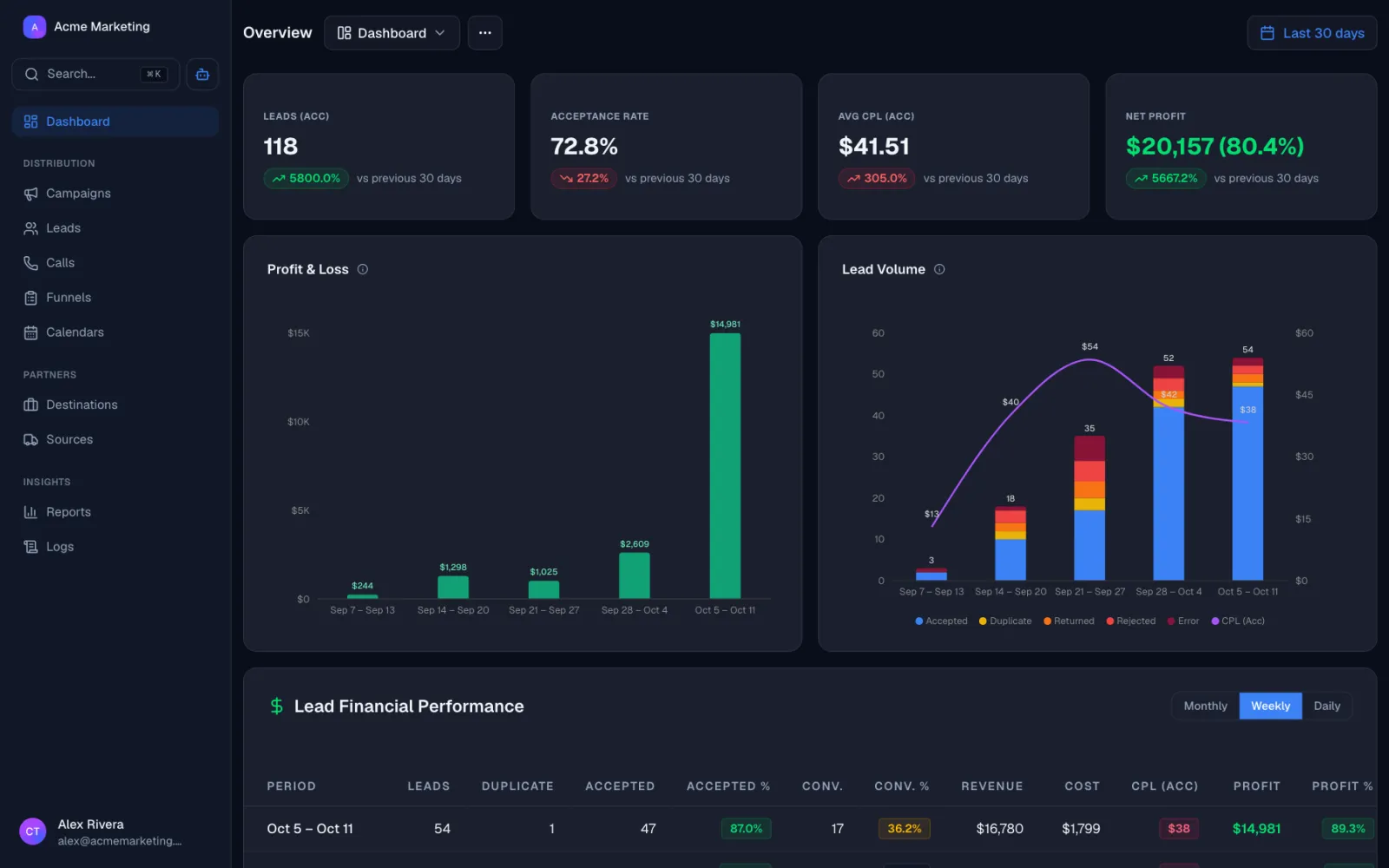
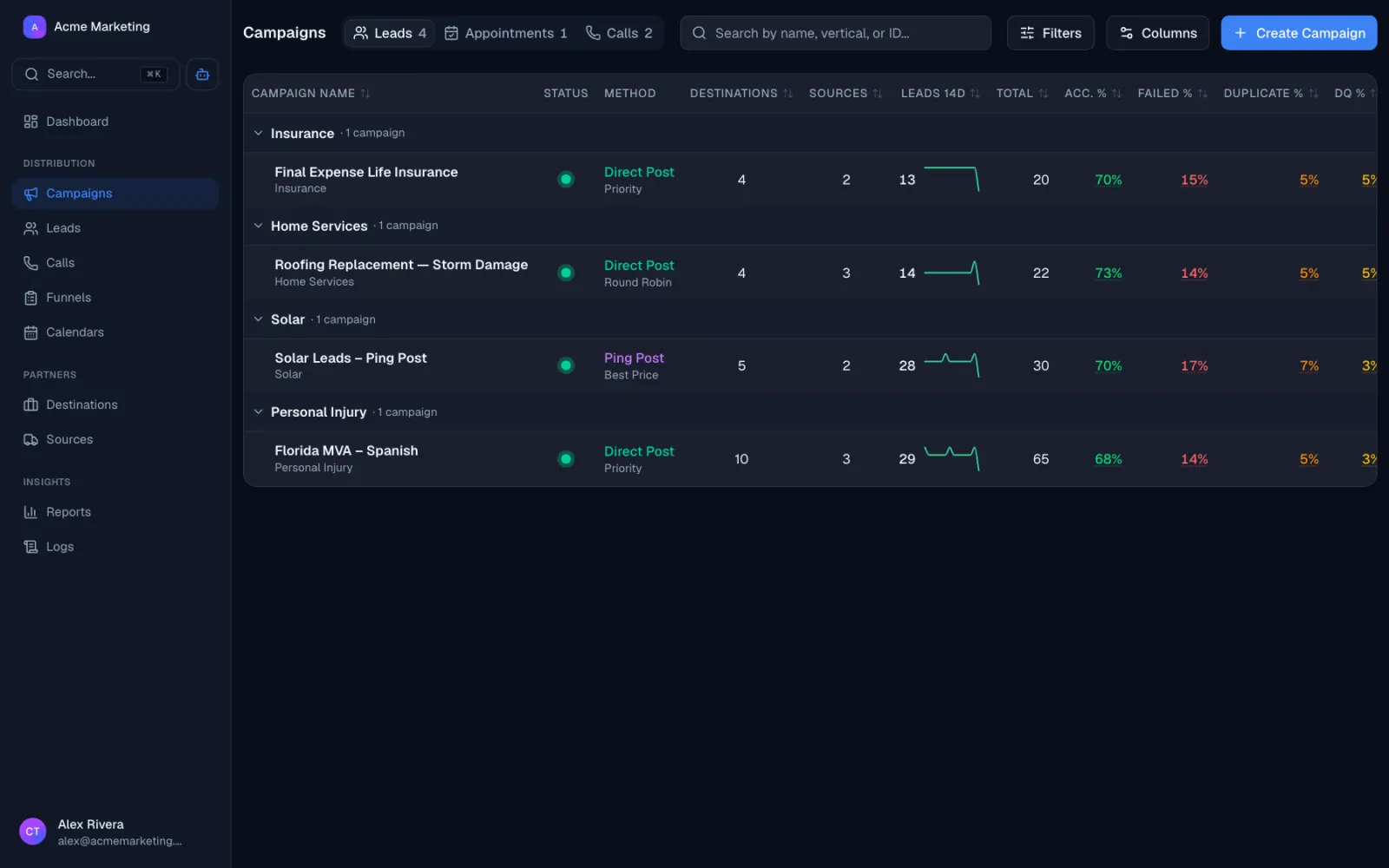
Track lead volume, acceptance rates, and pacing across every campaign and vendor so you know exactly where you'll land.
Pacing Report
FebruaryLeads MTD
180
Accepted MTD
162
Daily Avg
9.0
Projected
252
Everything you need to manage multiple lead vendors
Suppression Lists & Duplicate Detection
Block the same lead across every vendor you buy from. Configure dedupe by phone, email, or both, with custom time windows per campaign.
Learn moreInbound Filters & Field Mapping
Reject leads that don't match your criteria the second a vendor posts them. Filter on any field, set required fields, and normalize messy vendor schemas.
Learn morePer-Vendor Cost Tracking
Every lead is tagged with its vendor. See your true cost per accepted lead, per converted lead, and per signed customer, broken out by source.
Learn moreReal-Time Analytics
Live dashboards show accept rate, reject reasons, conversion rate, and net margin per vendor, per day, per campaign. Spot a bad batch before you fund the next one.
Learn morePing Post Bidding
Receive pings from your vendors, score them against your criteria, and only accept the ones worth paying for. Pay only for leads that match.
Learn moreLead scoring
Score every inbound lead on quality before you accept it. Reject low-probability leads at the door and keep your sales team focused on the ones that close.
Learn moreVerticals running on Lead Distro AI
Lead Distro AI is vertical-agnostic. These are some of the categories already running on the platform.
Home Services Contractors
Roofing, bath, kitchen, windows, solar. Filter by ZIP, project type, homeowner status, and budget across Modernize, Angi, Networx, and direct vendors.
Law Firms
Filter by state of incident, case type, injury severity, and treatment status. Block duplicates across all your legal lead vendors.
Insurance Agencies
Auto, home, life, and health. Filter by state, coverage type, current carrier, and renewal date across captive and independent vendor relationships.
Mortgage Brokers
Purchase, refi, and HELOC leads. Filter by credit, LTV, property type, and state across loan officer assignments and shared pools.
Financial Services
Lending, debt settlement, credit repair. Filter by debt amount, credit range, employment, and state.
Call Centers
Buying leads to dial. Filter by TCPA opt-in, time zone, do-not-call status, and lead age before paying for the batch.
See it run on your stack
Book a 20-minute demo or start your 7-day free trial. Full access to every feature, cancel anytime.
Customer Reviews
Why Companies Switch
to Lead Distro AI
Don't take our word for it. Here's what companies say after switching.
Our customers talk about
See it run on your stack
Book a 20-minute demo or start your 7-day free trial. Full access to every feature, cancel anytime.
Get Started
Start Distributing Leads. Free for 7 Days.
Call tracking and routing are included on every plan. Higher tiers add lead volume, seats, destinations, and ping post.
Starter
For agencies and media buyers running live campaigns.
Start Free Trial- Call tracking and recordingGet a tracking number, ring your Targets, and keep the recording. Call minutes and numbers are billed by usage on top of your plan.
- Lead distribution2,500 / moTake leads in from any source and send them to the buyers who want them. Your allowance counts leads that come in through the API. Duplicates we block, and leads that fail your filters, do not count.
- Appointments tracked2,500 / moSell booked appointments instead of raw leads. Mark each one showed and qualified, bill your buyers only when it counts, and give them a portal to see what they got. Counts appointments as they are booked.
- Live funnels5Hosted lead forms you build and publish on your own page. Drafts are unlimited. Only funnels that are live count against the limit.
- Campaigns5A campaign is one flow of leads or calls, usually one per vertical. It is where your sources and destinations connect. Only active campaigns count, so drafts and paused ones are free.
- Sources / destinations20Sources are where your leads and calls come from. Destinations are the buyers you send them to. Only active ones count against the limit.
- Seats3How many people on your team can log in. Buyers using the Partner Portal do not use a seat.
- AI credits500 / moOne credit for each message you send the AI assistant. It is a safety limit, not something normal use runs into.
- Ping postAsk your buyers what they will pay for a lead before you send it, then sell it to the highest bidder.
- White-label portalPut your own name, logo and domain on the Partner Portal, so your buyers see your brand instead of ours.
- Run your own ring treeAnyone can bid on other networks' calls. This is the other side: take live bids from your own buyers on every inbound call and connect the caller to whoever bids highest.
- MCP accessConnect Lead Distro AI to your own AI tools so you can build campaigns and pull reports by chat.
Growth
Everything unlocks here: ping post, RTB, and white-label.
Start Free Trial- Call tracking and recordingGet a tracking number, ring your Targets, and keep the recording. Call minutes and numbers are billed by usage on top of your plan.
- Lead distribution5,000 / moTake leads in from any source and send them to the buyers who want them. Your allowance counts leads that come in through the API. Duplicates we block, and leads that fail your filters, do not count.
- Appointments tracked5,000 / moSell booked appointments instead of raw leads. Mark each one showed and qualified, bill your buyers only when it counts, and give them a portal to see what they got. Counts appointments as they are booked.
- Live funnels20Hosted lead forms you build and publish on your own page. Drafts are unlimited. Only funnels that are live count against the limit.
- Campaigns10A campaign is one flow of leads or calls, usually one per vertical. It is where your sources and destinations connect. Only active campaigns count, so drafts and paused ones are free.
- Sources / destinations50Sources are where your leads and calls come from. Destinations are the buyers you send them to. Only active ones count against the limit.
- Seats10How many people on your team can log in. Buyers using the Partner Portal do not use a seat.
- AI credits2,000 / moOne credit for each message you send the AI assistant. It is a safety limit, not something normal use runs into.
- Ping postAsk your buyers what they will pay for a lead before you send it, then sell it to the highest bidder.
- White-label portalPut your own name, logo and domain on the Partner Portal, so your buyers see your brand instead of ours.
- Run your own ring treeAnyone can bid on other networks' calls. This is the other side: take live bids from your own buyers on every inbound call and connect the caller to whoever bids highest.
- MCP accessConnect Lead Distro AI to your own AI tools so you can build campaigns and pull reports by chat.
Scale
For networks routing more volume to more partners.
Start Free Trial- Call tracking and recordingGet a tracking number, ring your Targets, and keep the recording. Call minutes and numbers are billed by usage on top of your plan.
- Lead distribution15,000 / moTake leads in from any source and send them to the buyers who want them. Your allowance counts leads that come in through the API. Duplicates we block, and leads that fail your filters, do not count.
- Appointments tracked15,000 / moSell booked appointments instead of raw leads. Mark each one showed and qualified, bill your buyers only when it counts, and give them a portal to see what they got. Counts appointments as they are booked.
- Live funnelsUnlimitedHosted lead forms you build and publish on your own page. Drafts are unlimited. Only funnels that are live count against the limit.
- Campaigns25A campaign is one flow of leads or calls, usually one per vertical. It is where your sources and destinations connect. Only active campaigns count, so drafts and paused ones are free.
- Sources / destinations100Sources are where your leads and calls come from. Destinations are the buyers you send them to. Only active ones count against the limit.
- Seats20How many people on your team can log in. Buyers using the Partner Portal do not use a seat.
- AI credits5,000 / moOne credit for each message you send the AI assistant. It is a safety limit, not something normal use runs into.
- Ping postAsk your buyers what they will pay for a lead before you send it, then sell it to the highest bidder.
- White-label portalPut your own name, logo and domain on the Partner Portal, so your buyers see your brand instead of ours.
- Run your own ring treeAnyone can bid on other networks' calls. This is the other side: take live bids from your own buyers on every inbound call and connect the caller to whoever bids highest.
- MCP accessConnect Lead Distro AI to your own AI tools so you can build campaigns and pull reports by chat.
Enterprise
Custom plans for networks and high-volume operators.
- Call tracking and recordingGet a tracking number, ring your Targets, and keep the recording. Call minutes and numbers are billed by usage on top of your plan.
- Lead distributionCustomTake leads in from any source and send them to the buyers who want them. Your allowance counts leads that come in through the API. Duplicates we block, and leads that fail your filters, do not count.
- Appointments trackedCustomSell booked appointments instead of raw leads. Mark each one showed and qualified, bill your buyers only when it counts, and give them a portal to see what they got. Counts appointments as they are booked.
- Live funnelsCustomHosted lead forms you build and publish on your own page. Drafts are unlimited. Only funnels that are live count against the limit.
- CampaignsCustomA campaign is one flow of leads or calls, usually one per vertical. It is where your sources and destinations connect. Only active campaigns count, so drafts and paused ones are free.
- Sources / destinationsCustomSources are where your leads and calls come from. Destinations are the buyers you send them to. Only active ones count against the limit.
- SeatsCustomHow many people on your team can log in. Buyers using the Partner Portal do not use a seat.
- AI creditsCustomOne credit for each message you send the AI assistant. It is a safety limit, not something normal use runs into.
- Ping postAsk your buyers what they will pay for a lead before you send it, then sell it to the highest bidder.
- White-label portalPut your own name, logo and domain on the Partner Portal, so your buyers see your brand instead of ours.
- Run your own ring treeAnyone can bid on other networks' calls. This is the other side: take live bids from your own buyers on every inbound call and connect the caller to whoever bids highest.
- MCP accessConnect Lead Distro AI to your own AI tools so you can build campaigns and pull reports by chat.
Only buying and selling calls?
Call Tracking Only
Call tracking, recording, and call routing, without lead distribution.
3 campaigns, 5 sources and destinations, 2 seats.
Call tracking and routing rates, billed as you use it
Call tracking is on every plan, not just this one. Numbers provision instantly from the dashboard, call recording included.
Talk with Our Team
See how Lead Distro AI fits your workflow. Pick a time and we'll walk you through it.
Lead-buyer FAQs
How is this different from a CRM's built-in dedupe?
Can I set different filter rules per vendor?
Do my vendors need to integrate with something new?
Can I return a lead after I've accepted it?
Will my filters slow down lead delivery?
Can I A/B test vendors against each other?
Still have questions?
Book a 20-minute demo and we'll walk through your exact use case, or start your 7-day free trial and explore on your own.
Ready to Stop Paying for Junk Leads?
Start your 7-day free trial. Wire up your first vendor in under 10 minutes and watch the filters do their job.